

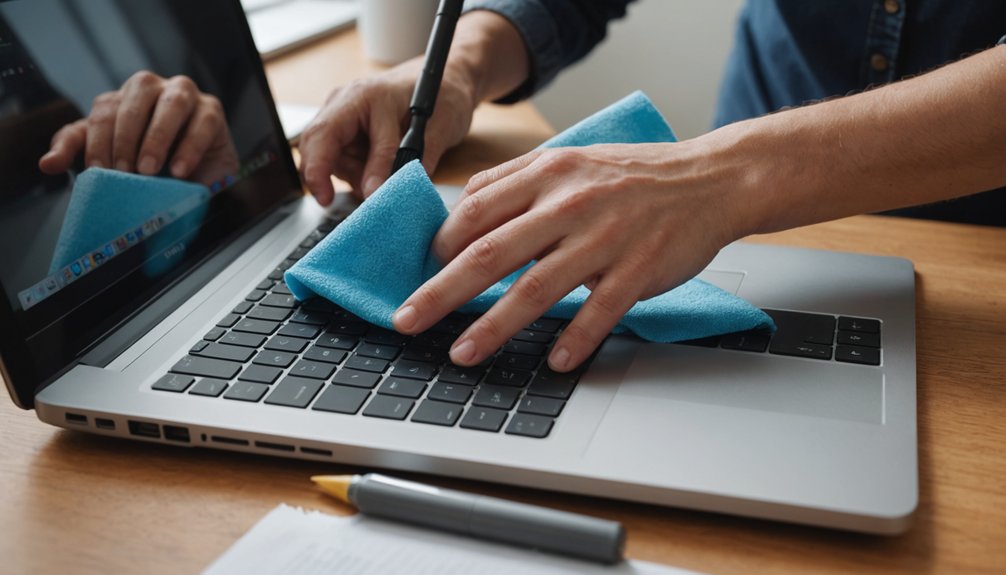

Cleaning and maintaining tech gear is vital for peak performance and longevity. Regular dusting and wiping down surfaces with a microfiber cloth can prevent damage and overheating. However, improper cleaning techniques can harm devices. Understanding the correct methods for cleaning various tech devices, including computers, smartphones, and gaming consoles, is important. By exploring the best practices for tech gear maintenance, individuals can guarantee their devices remain functional and efficient.
Highlights
- Regularly clean your devices with a microfiber cloth and gentle cleaning solution to prevent damage and maintain performance.
- Avoid spraying liquids directly onto screens and use compressed air to clean crevices and debris from keyboards.
- Optimize battery life by avoiding overcharging and maintaining 20%-80% battery levels for smartphones and tablets.
- Use cable organizers and designate storage areas for accessories to reduce clutter and promote a well-organized workspace.
- Follow manufacturer guidelines for specific cleaning recommendations and update operating systems and apps regularly for security and performance.
Cleaning Your Computer and Laptop
Regularly cleaning the computer and laptop is vital to maintaining their performance and longevity. Dust, dirt, and grime accumulation can cause overheating, slow processing speeds, and damage to internal components.
Effective cleaning begins with the screen, using a microfiber cloth and a gentle cleaning solution specifically designed for screen cleaning. Avoid spraying liquids directly onto the screen to prevent damage.
Next, focus on keyboard sanitizing by turning the keyboard upside down and shaking off debris. Use compressed air to dislodge dust and dirt from crevices, followed by disinfecting wipes to eliminate germs and bacteria.
This routine practice guarantees peak functionality and extends the lifespan of these devices. By adopting a regular cleaning schedule, users can safeguard their computer and laptop investments.
Maintaining Your Smartphone and Tablet
The majority of mobile device issues can be attributed to poor maintenance and inadequate cleaning. Regularly cleaning the screen and body of smartphones and tablets can prevent damage and maintain their overall performance.
Applying a screen protection film can help shield the device from scratches and cracks. To optimize battery life, users should adopt good battery management habits, such as avoiding overcharging and keeping the battery level between 20% and 80% if possible.
It is also crucial to update the operating system and apps regularly to guarantee the device remains secure and runs smoothly. By following these simple maintenance tips, users can extend the lifespan of their mobile devices and prevent common issues.
Proper maintenance is key to getting the most out of these devices.
Dusting and Cleaning Your Gaming Consoles
Similar maintenance principles that apply to smartphones and tablets also hold true for gaming consoles. Regular dusting and cleaning can help prevent console overheating, which can slow down performance and reduce lifespan.
Use a soft, dry cloth to wipe down the console’s exterior, paying attention to vents and crevices where dust accumulates. For tougher grime, dampen the cloth with water, but avoid getting liquids into openings.
Controller hygiene is also essential, as germs and dirt can accumulate on surfaces. Use a disinfectant wipe to clean the controller, paying attention to areas around buttons and joysticks.
Regular cleaning can help maintain a gaming console’s performance and longevity, ensuring a seamless gaming experience. By incorporating these habits into their routine, gamers can help extend the life of their console.
Caring for Your Headphones and Earbuds
While often overlooked, headphones and earbuds require regular maintenance to confirm peak sound quality and longevity.
To maintain earbud hygiene, individuals should clean the earbuds’ outer casing and ear tips with a soft cloth and mild soap solution. The earbuds’ mesh grilles should also be gently brushed with a small, dry paintbrush to remove debris.
For headphones, wipe down the exterior with a damp cloth, paying attention to the headband and ear cushions. Regular cleaning guarantees headphone longevity and prevents the buildup of sweat and bacteria.
Additionally, storing headphones and earbuds in a protective case or pouch can help shield them from damage and dust accumulation, further extending their lifespan.
Keeping Your Smart Home Devices Clean and Maintained
As smart home devices become increasingly integrated into daily life, maintaining their cleanliness and functionality is vital for peak performance. Regular cleaning helps prevent dust and dirt from accumulating and interfering with smart home security features, such as motion detectors and cameras.
Use a soft cloth to wipe down devices, paying attention to any areas with visible buildup. For devices with screens, use a microfiber cloth and a gentle cleaning solution to avoid damaging the display.
Voice assistant maintenance is also important, as a clean device guarantees clear voice commands and accurate responses. Check manufacturer guidelines for specific cleaning recommendations, as some devices may require special care.
Tips for Organizing Your Cables and Accessories
How often do individuals find themselves rummaging through a tangled mess of cords and cables, wasting precious time searching for the correct charger or accessory? Effective cable management and accessory storage can alleviate this frustration.
Utilizing cable organizers, such as cable ties, zip ties, or cord clips, can keep cords tidy and untangled. Labeling cables can also aid in quick identification.
Designating a specific area for accessory storage, such as a drawer or container, can keep items like chargers, headphones, and batteries organized and easily accessible.
Implementing these simple strategies can save time, reduce clutter, and promote a sense of belonging in a well-organized and functional workspace.
Conclusion
Proper cleaning and maintenance of tech gear are essential for peak performance and longevity. Regular dusting, wiping, and disinfecting can prevent damage and extend the lifespan of devices. Additionally, organizing cables and accessories can reduce clutter and promote a tidy workspace. By following the outlined steps, individuals can guarantee their devices remain in good condition, reducing the need for costly repairs or replacements and maintaining a seamless user experience.